File Menu
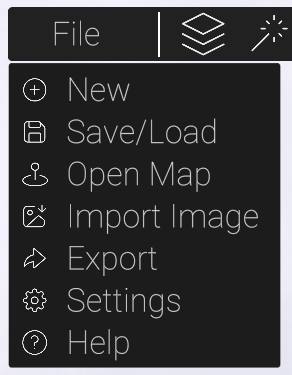
New
Use this option to create a new image.
All unsaved work will be deleted!
Save / Load
Open the Save / Load menu to save your current image or to load previously saved images.
You can also delete any previously saved images using the bin icon in each individual file section.
There is also an autosave feature, and you can access those saves here too.
Each account has 6 autosave slots, and they are saved every 4 minutes!
Open Map
Open our Map of 360-degree imagery to design with.
Import Image
Import a new background image from your files to work on.
Export
To share your image, use Export.
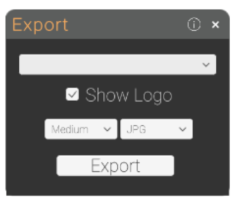
- Choose whether to include or remove your company logo before exporting.
- Select the file format and resolution you desire.
- Save the final image to your computer.
Settings
Change the settings of your image here.
Edit Set Road: If the road settings of your image seem incorrect, you can adjust them here.
Edit Shadow Quality: Toggle between Low and High shadow quality to change how the shadows appear in your image.
Low Quality: Shadows stay on object itself.
High Quality: Shadows extend onto the ground for a more realistic effect.
Help
Opens the Help documentation (You Are Here 😊)